

Best Ways To Use Remote Start in the Winter
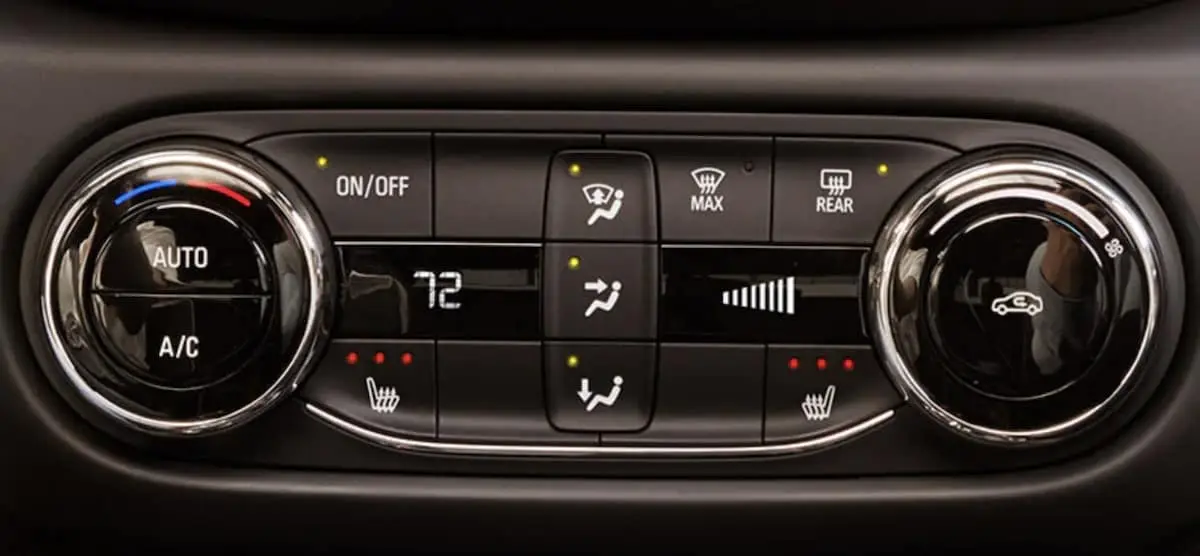
With cooler temperatures quickly approaching, your remote start Chevrolet has your back this winter. With available Chevrolet Climate Controls, you can start warming up your vehicle before you step outside. The team at DeFOUW Chevrolet is here to help our Lafayette area drivers learn how to create their ideal driving environment using remote start.
How to Set Automatic Temperature
When Auto temperature controls are engaged, your vehicle will regulate using fans and direction of airflow to keep your vehicle at your preferred temperature. When you remotely start your Chevrolet the temperature controls will begin warming your car. This will allow you to step into a perfect temperature for comfort so you can drive with ease.
To set your controls follow these simple steps:
- Press the Auto button. The location of this button varies by model but may be located on the center stack or in the infotainment center. To find yours we recommend checking out your vehicle’s owner manual.
- Set your desired temperature
- The A/C button will illuminate indicating the system is activated.
For vehicles equipped with Dual-Zone or Triple-Zone systems, you have the ability to set each area. If you want to keep the temperature the same throughout the vehicle all you have to do is press sync, which will match all zones to the driver’s area.
Shop New Chevrolet Vehicles in Lafayette
Are you ready to get behind the wheel of an all new Chevrolet vehicle this winter season? Whether you’re looking for a car, truck, or SUV, the team at DeFOUW Chevrolet is here to help you find the perfect fit. We have an impressive selection of new and pre-owned vehicles so feel free to stop in to our dealership conveniently located to serve the Lafayette, Crawfordsville, and Monticello areas. With any further questions do not hesitate to contact us online.

0 comment(s) so far on Best Ways To Use Remote Start in the Winter